AI image workflow

AI Book Cover Generator

Turn a quoted title and author, genre, mood, and visual premise into a portrait front-cover concept for a novel, memoir, nonfiction book, or cookbook.

Publishing concept tool

Generate book cover concept

Online tool

Prompt examples

Style

Real example output

Qwen Image · 25 credits

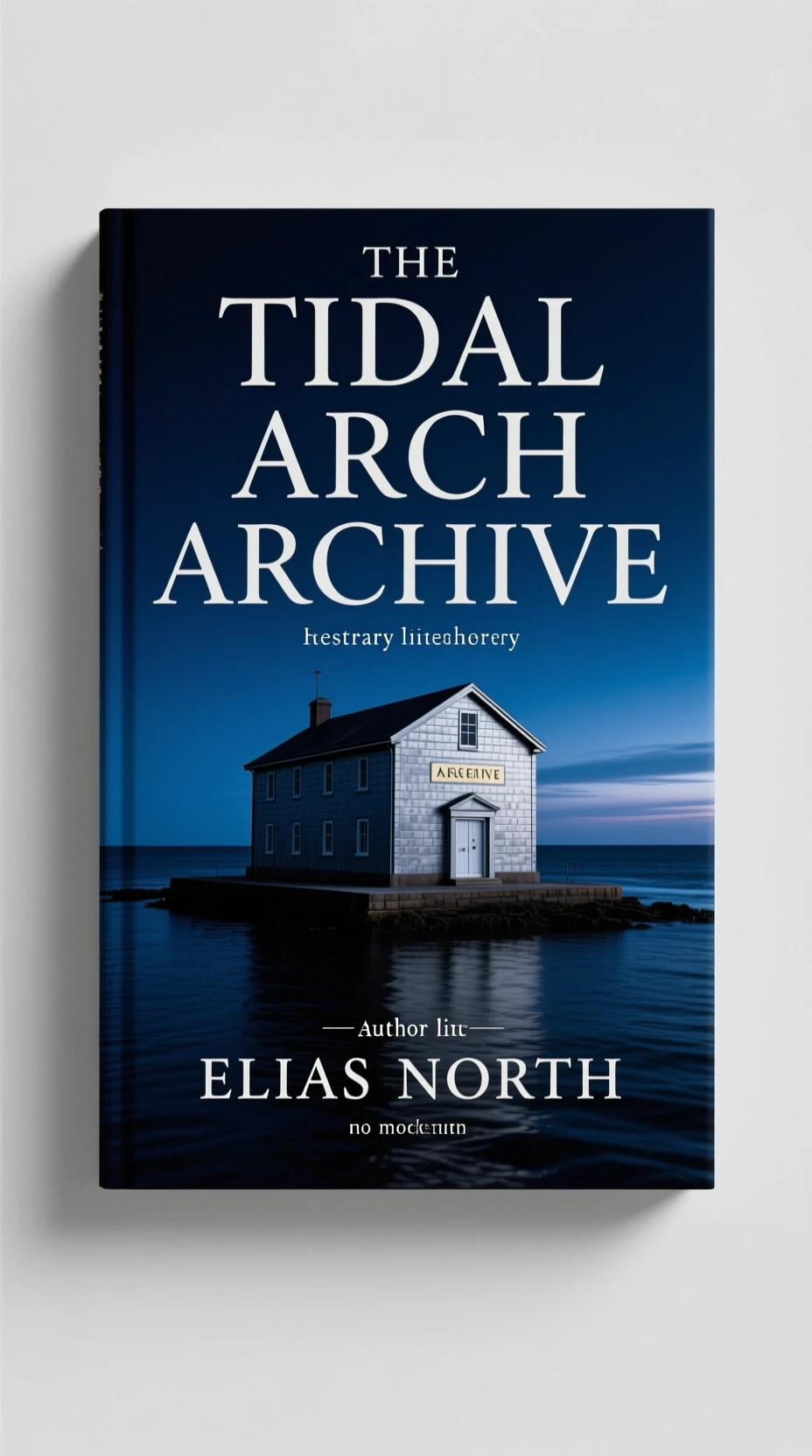
AI-generated vertical mystery book cover concept with a coastal archive above dark water
Real example output

Literary mystery cover concept

Vertical front-cover concept for a literary mystery novel titled THE TIDAL ARCHIVE, a solitary coastal archive building above dark water at blue hour, restrained small author line ELIAS NORTH, strong title hierarchy, no mockup and no spine. Editorial book design, moody photographic realism, deep navy and silver palette, polished commercial detail.

Capability boundary: This is front-cover concept art, not a print-ready KDP file. The model may add a mockup, alter line breaks, or invent small text; replace all typography and build the spine, back cover, bleed, and barcode in a layout tool.

Model for your run

Real model outputs and templates

These examples were produced with the same image workflows available in MorphPix. Open any template to start with its direction.

Input
Prompt only
Default model
Ideogram 4.0 Quality
Canvas
2:3
Default style
editorial

01

Contemporary cookbook cover concept

Generated with MorphPix

Input

Vertical front-cover concept for a modern cookbook titled WILD FERMENTS, ceramic jars, herbs and citrus arranged on a sunlit kitchen table, small author line MAYA LIN, clean readable title area, no mockup and no spine. Warm editorial food photography with a contemporary cookbook layout, polished commercial detail.

Prompt
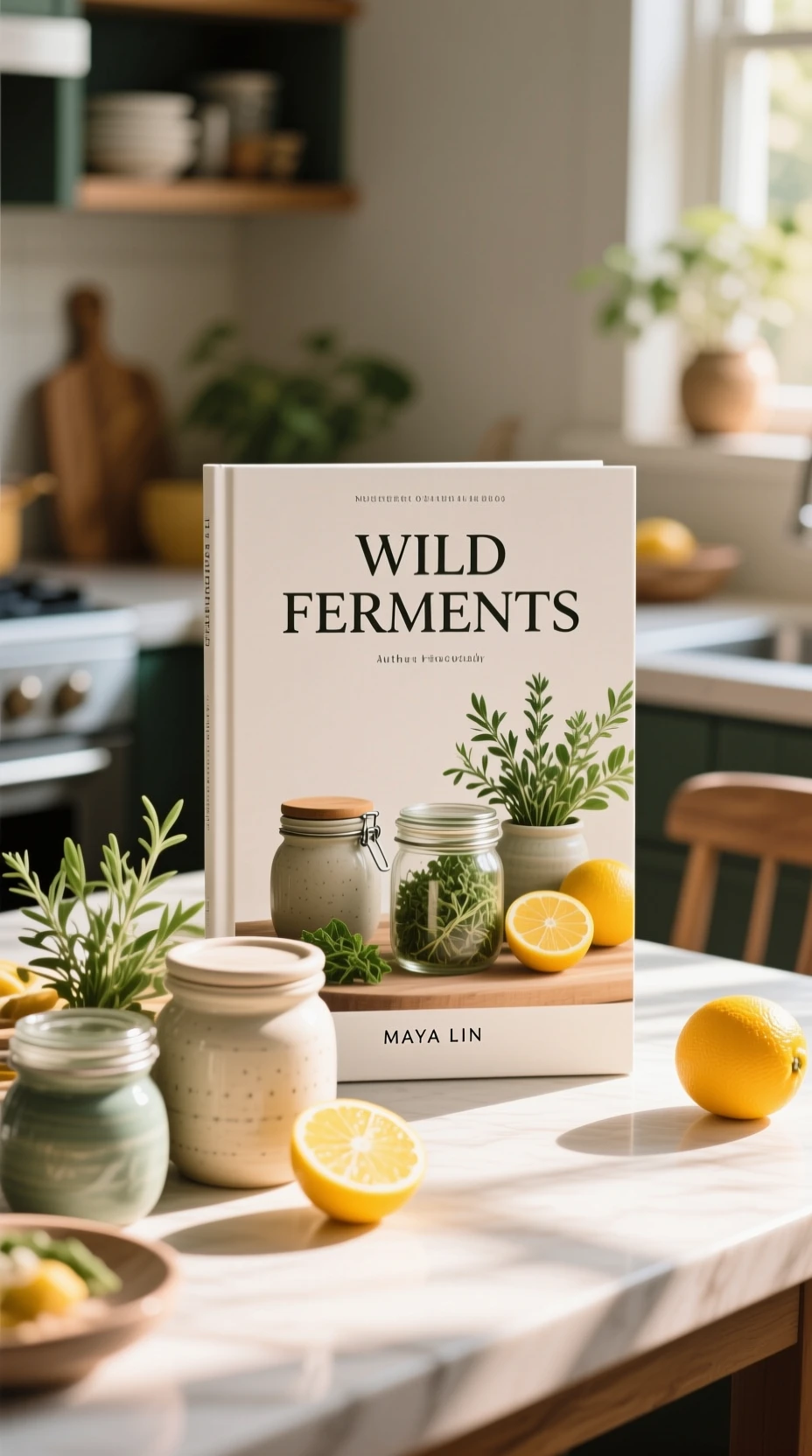
AI-generated cookbook cover concept with fermentation jars, herbs, and citrus on a kitchen table
Output

Capability boundary: The generated cover may contain invented subtitle, spine, or label text and may render the design as a book mockup. Treat the image as art direction and rebuild production typography separately.

Model
Qwen Image
Tool
AI Book Cover Generator
Parameters
9:16 · editorial · 928 × 1664 WebP

This historical example used Qwen Image. The template will use Ideogram 4.0 Quality in this tool; results will differ.

Use in Studio

What you can explore

  • Generate one portrait raster front-cover concept from a prompt.
  • Direct the title and author in quotation marks, genre, reader tone, central symbol, setting, palette, composition, typography direction, and hierarchy.
  • Explore publishing mood, genre signals, title hierarchy, and cover-art direction before a separate production layout pass.

What this workflow does not provide

  • This prompt-only page does not accept uploads, references, book mockups, or multiple source images.
  • It generates a front-cover concept only, not a full wrap, spine, back cover, barcode, ISBN, trim calculation, bleed, CMYK preflight, PDF, or printer template.
  • AI-generated text may misspell titles or authors, duplicate letters, break lines badly, use inconsistent kerning, or invent small print.

Review before publishing

  • Check genre fit, character and setting details, historical or subject accuracy, symbols, third-party marks, and platform requirements.
  • Proofread and rebuild the title, subtitle, author, series, blurb, publisher mark, spine text, and legal copy in professional layout software.
  • Confirm trim size, bleed, spine width, page-count geometry, back cover, barcode area, resolution, and color/export settings with the publisher or platform.

Run this workflow

Use the defaults as a starting point, then choose the model and settings that fit the actual image task.

Input
Prompt only
Default model
Ideogram 4.0 Quality
Canvas
2:3
Default style
editorial
Credits
100 / successful result

Best for

  • Novel cover art direction
  • Memoir cover concepts
  • Cookbook cover moodboards
  • Early publishing pitch visuals

Execution flow

  1. 01

    Enter the title and author in quotation marks, then add genre, reader tone, central symbol, setting, palette, composition, typography direction, and hierarchy.

  2. 02

    Use a 2:3 or 3:4 canvas and a selected model for a portrait front-cover concept.

  3. 03

    Review the image and typography separately, then rebuild all final text and print production details in a layout tool.

Task guidance

Separate cover art direction from print production

MorphPix can quickly explore a compelling front-cover direction. It does not create a complete press-ready wrap with exact typography, spine, bleed, barcode, and printer specifications.

Define the reader promise

Name the genre, emotional tone, central symbol, and palette so the image communicates the right shelf impression before adding production details.

Keep generated text provisional

Models can render a strong title direction but may misspell names, duplicate words, or invent small copy. Treat every generated letter as a draft.

Finish outside the generator

Rebuild the title, author name, spine, back cover, bleed, barcode, and color settings in software that matches your printer or publishing platform.

Models for cover concepts

High-quality cover concepts, graphic design, and typography-heavy compositions.

100 credits

Recraft V4.1

Recraft

Art-directed publishing visuals, composition, and integrated text direction.

40 credits

Qwen Image 3 Pro

Alibaba

Dense layouts, multilingual text, and complex cover compositions.

40 credits

AI book cover generator FAQ

Does this make a print-ready KDP cover?

No. It generates a vertical front-cover concept. KDP and other printers require exact trim, spine, back-cover, bleed, barcode, resolution, and color settings that must be assembled separately.

Will the title and author name be correct?

Design-focused models can suggest useful typography, but spelling, line breaks, and small text can be wrong. Replace all text before publication.

How is this different from the AI poster generator?

This page is built around vertical publishing cover intent, genre signals, title hierarchy, and a front-cover workflow. The poster page targets events, launches, and campaign announcements.

Ready to run this workflow?

Open the studio with the prompt, model, style, and aspect ratio already filled in.

Generate book cover concept